The Symbol Security API allows both MSP and Single Companies to make use of multiple endpoints at the company and partner level, such as event subscriptions (Webhooks) that notify external systems about certain events like simulations, assignments, and much more.
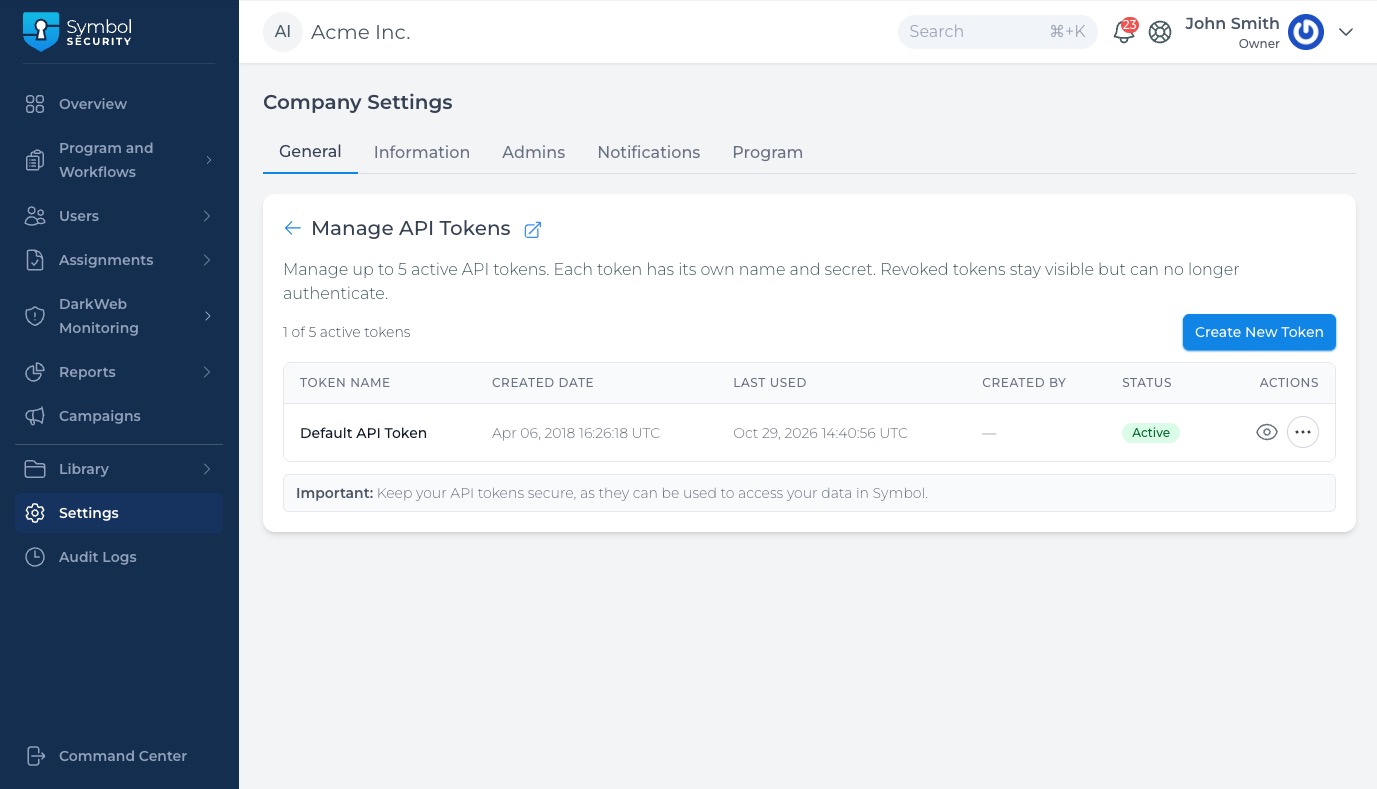
API Tokens
As you can use the API for a specific company or an MSP account, you can access and manage API tokens at either the MSP level or the company level:
MSP Level
- Navigate to your Command Center (Previous MSP Portal) > MSP Settings > Integrations.
- Locate the Symbol Security API section.
- Click the Manage Tokens button to access your token list.
Company Level
- Navigate to the specific company where you want to establish the API integration.
- Go to Settings > General.
- Locate the Symbol Security API section.
- Click the Manage Tokens button to access your token list.
Managing & Generating Tokens
From the Manage Tokens view, administrators can full-control their API credentials—allowing you to see, create, remove, and revoke independent tokens for different integrations (such as SIEM tools, custom scripts, or external report exporters) without sharing credentials.
How to Create a New Token
- Click Manage Tokens under Settings > General > Symbol Security API.
- Click Create New Token (or Generate Token).
- Provide a descriptive name and define the appropriate scope or permissions.
- Copy and store your token securely. Note: For security reasons, full token details may only be displayed once upon creation.
How to See, Revoke, or Remove Tokens
From the token management list, you can view all active and past tokens created for your account:
- See Tokens: View token metadata such as the token name, creation date, and last used status.
- Revoke Tokens: Deactivate an active token so it can no longer be used for authentication while keeping a record of its details.
- Remove Tokens: Delete unused or legacy tokens permanently from your account list.
Important: Revoking or removing a token immediately invalidates it. Any active integration using that specific token will stop working until updated with a new valid token.
If you still have any questions about how to set up or manage your API connections, contact us at support@symbolsecurity.com, and we will be happy to help!
API documentation
For more detailed information, you can visit the SymbolSecurity API Documentation , it details technical information about each endpoint.